



本篇文章适用于L06A/LX06型号的音箱
一、拆机
把音箱倒置过来,将底部的圆垫翘下,这玩意是用胶粘的,然后将底部的六颗长螺丝卸下即可取下底部
如果弄不开可以将螺丝刀插到孔里撬开
打开底部之后把电源线的接口螺丝卸下,aux的排线拔出来,就能从小爱的头盖骨把内胆拔出来了
二、刷机准备
安装链接里的这个驱动程序,文件是drives/InstallDriver_Worldcup.exe
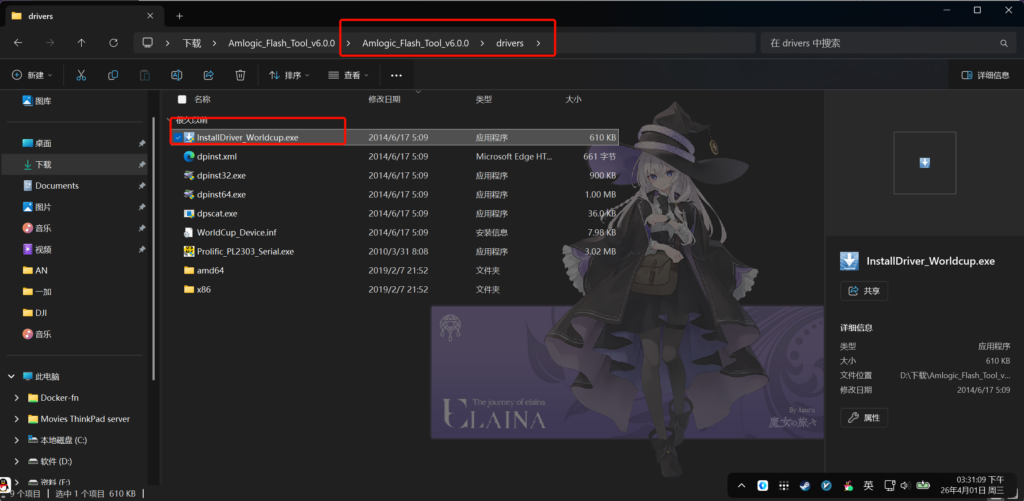
进入到刚刚下载的Amlogic_Flash_Tool,在bin的文件夹打开cmd,输入以下命令之后插上音箱主板上的microusb接口,给音箱通电,等拦截启动成功
for /L %x in (1,1,100) do update.exe identify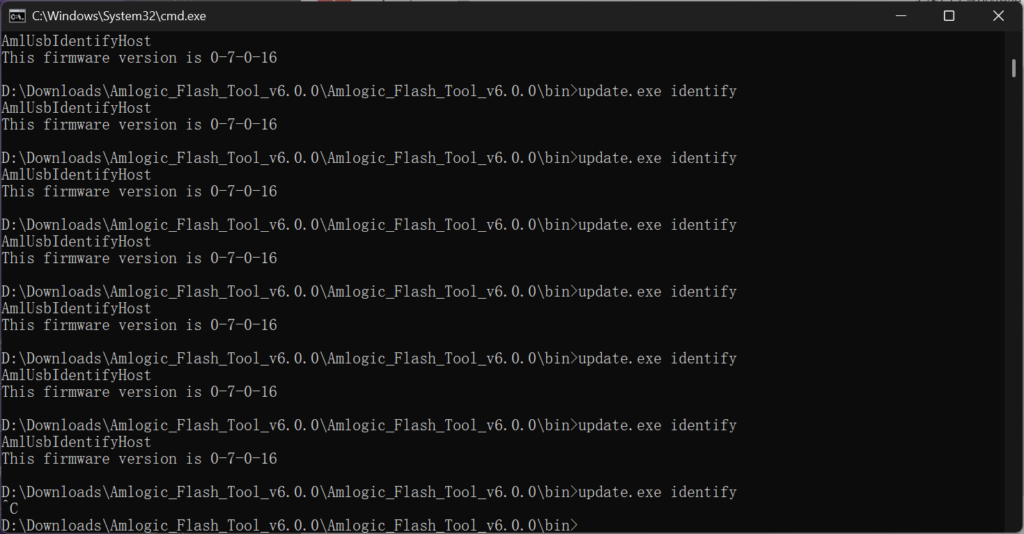
出现这个就可以按curl+c停止了
成功之后建议执行以下命令,以后刷机方便
update.exe bulkcmd "setenv bootdelay 15"
update.exe bulkcmd "saveenv"
2.5、备份
输入以下命令将音箱的分区备份出来
update.exe mread store bootloader normal 0x200000 mtd0.img
update.exe mread store tpl normal 0x800000 mtd1.img
update.exe mread store boot0 normal 0x600000 mtd2.img
update.exe mread store boot1 normal 0x600000 mtd3.img
update.exe mread store system0 normal 0x2820000 mtd4.img
update.exe mread store system1 normal 0x2800000 mtd5.img
update.exe mread store data normal 0x13e0000 mtd6.img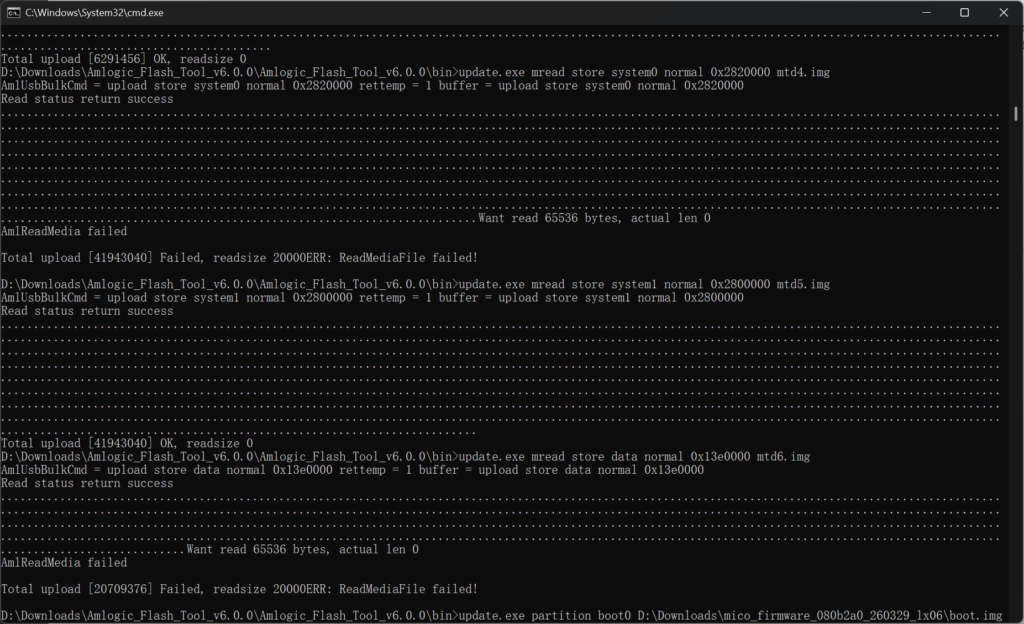
虽然有点报错,但不太影响
三、刷机
这里需要下载刷机包,一个是xiaoai-patch/releases的刷机包,这个刷机包不带小爱,需要语音助手的话要自己适配tts和sst
另一个是https://bbs.hassbian.com/thread-25643-1-1.html这个是解锁ssh和root,默认没密码
到这一步刷入就很简单了
update.exe partition boot0 boot.img
update.exe partition boot1 boot.img
update.exe partition system0 root.squashfs
update.exe partition system1 root.squashfs
将上面的boot.img和root.squashfs改为自己的镜像路径。
执行完之后就可以用update.exe bulkcmd "reset"开机了,到这就刷入完成了
3.5、升级
在系统里想刷另外的系统,可以用scp上传之后,用mtd刷入,也就是以下的命令
scp -O -o HostKeyAlgorithms=+ssh-rsa "D:\Downloads\202408251449_LX06_LX06A_17.88.51.squashfs" root@10.0.0.194:/tmp/D:\Downloads\202408251449_LX06_LX06A_17.88.51.squashfs这里为镜像路径,后面的IP为小爱的IP地址
然后ssh连上小爱,执行
mtd write /tmp/202408251449_LX06_LX06A_17.88.51.squashfs  system0
mtd write /tmp/202408251449_LX06_LX06A_17.88.51.squashfs  system1
reboot
就升级完成了
Comments NOTHING